Reception Management Software: Complete Guide for Hospitals & Clinics
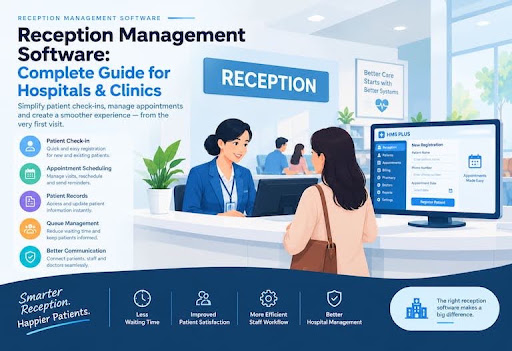
A hospital reception is often the first place a patient interacts with your organization. Registration, appointments, patient records, payments, and coordination with doctors all pass through the reception.
When these tasks are handled manually, even simple processes can become difficult to manage as patient volume increases. Reception management software helps organize these daily tasks in one place, making it easier for staff to manage patient information, appointments, visits, and communication with other hospital departments.
In this guide, we'll explain what reception management software is, how it works, what features to look for, its benefits, and how to choose the right solution for your hospital or clinic.
What Is Reception Management Software?
Reception management software is a digital system designed to help hospitals and clinics manage the administrative tasks handled at the reception.
Instead of depending on paper registers, spreadsheets, or separate records, reception staff can use one system to manage common activities such as:
- Patient registration
- Appointment scheduling
- Patient search and record access
- Check-in and visit management
- Doctor and department coordination
- Fee collection and billing
- Patient follow-up
- Reception reports
The exact features depend on the software, but the main purpose is simple: make reception work more organized and easier to manage.
What Does Reception Management Software Do?
A reception management system brings important patient and appointment information into one workflow.
For example, when a returning patient arrives, reception staff can search for the existing record instead of creating a new record from the beginning. Staff can also check appointments, manage the patient's visit, and coordinate with the relevant doctor or department.
Who Uses Reception Management Software?
Reception management software is commonly useful for:
- Small clinics
- Multi-doctor clinics
- Diagnostic centers
- Outpatient departments
- Small and medium-sized hospitals
- Hospitals with multiple departments
The right system depends on the size of the organization and the processes it needs to manage.
How Does Reception Management Software Work?
Reception management software usually follows the patient's journey from registration to consultation and payment.
Patient Registration
When a new patient arrives, reception staff can enter the required information into the system and create a patient record.
For returning patients, staff can search for the existing record rather than creating another one.
Appointment Scheduling
Reception staff can record appointments and organize them according to doctors, departments, or available schedules, depending on the system.
This gives staff a clearer view of upcoming appointments and helps them manage the daily reception workload.
Patient Check-In
When a patient arrives for an appointment, reception staff can update the visit and move the patient into the appropriate workflow.
Some systems may also include queue or token management features.
Doctor and Department Coordination
Reception is closely connected with doctors and other departments.
A centralized system can make it easier for reception staff to access relevant appointment and patient information and coordinate the patient's visit with the appropriate department.
Billing and Fee Collection
Where billing features are included, reception staff can record consultation fees or other applicable charges and maintain payment information.
This can reduce the need to maintain separate manual records for routine transactions.
Patient Records and Follow-Up
A digital record can make previous visit information easier for authorized staff to find.
This can be useful when patients return for follow-up visits or future appointments.
Reception Management Software vs Traditional Reception Management
The biggest difference between software-based and traditional reception management is how information is recorded, accessed, and shared.
Patient information may be stored in paper files or separate records
Reception Management Software: Patient information can be managed digitally
Finding previous records can require manual searching
Reception Management Software: Records can be searched within the system
Appointments may be maintained manually
Reception Management Software: Appointments can be organized digitally
Information may need to be entered repeatedly
Reception Management Software: Existing information can often be reused
Reception and other departments may rely on manual communication
Reception Management Software: Information can be shared through connected modules where supported
Reports may require manual preparation
Reception Management Software: Reports can be generated from recorded system data
| Traditional Reception | Reception Management Software |
|---|---|
| Patient information may be stored in paper files or separate records | Patient information can be managed digitally |
| Finding previous records can require manual searching | Records can be searched within the system |
| Appointments may be maintained manually | Appointments can be organized digitally |
| Information may need to be entered repeatedly | Existing information can often be reused |
| Reception and other departments may rely on manual communication | Information can be shared through connected modules where supported |
| Reports may require manual preparation | Reports can be generated from recorded system data |
The exact workflow depends on the software, but the goal is to reduce unnecessary manual work and make information easier to manage.
What Features Should Reception Management Software Have?
Not every hospital needs the same features. Before choosing a system, consider the functions your reception staff actually use.
Patient Registration and Management
The system should make it easy to create, update, and search patient records.
Appointment Management
Reception staff should be able to manage appointments and view relevant doctor or department schedules.
Patient Search and Record Access
Staff should be able to find existing patient information without having to create duplicate records.
Queue and Visit Management
If your hospital handles a large number of daily visits, queue or token management can help organize patient flow.
Doctor and Department Management
Reception staff may need to coordinate appointments and visits with different doctors or departments.
Billing and Payment Management
If billing is part of the reception workflow, the software should provide appropriate tools for recording fees and payments.
Reports and Dashboard
Reports can help management understand daily reception activity, appointments, visits, and other recorded information.
Role-Based Access
Different employees may need access to different parts of the system. Role-based permissions can help control what each user can view or manage.
Data Security and Backup
Patient information is sensitive, so hospitals should understand how the software handles access, storage, security, and backups before implementation.
Integration With Other Hospital Modules
If you already use or plan to use other hospital management modules, check whether the reception system can work with areas such as doctor management, pharmacy, laboratory, accounts, and administration.
What Are the Benefits of Reception Management Software?
The main benefit is not simply replacing paper with software. A well-designed system can make the entire reception workflow more organized.
Faster Patient Registration
Digital registration can reduce repetitive manual work and make patient information easier to record.
Better Appointment Organization
Appointments can be managed in one place instead of relying on separate registers or spreadsheets.
Easier Access to Patient Information
Authorized staff can search for existing patient records when information is needed.
Less Repetitive Data Entry
When patient information is already stored in the system, staff may not need to repeatedly enter the same information for every visit.
Better Coordination
Reception staff can work with doctors and other departments through connected workflows, depending on the system.
More Organized Billing
Recording fees and payments digitally can make financial information easier to track within the supported workflow.
Better Operational Visibility
Reports and dashboards can give hospital management a clearer view of reception activity and help identify areas that may need attention.
A Smoother Patient Experience
Patients interact with reception throughout their visit. Better organization can help reduce unnecessary confusion around registration, appointments, and other administrative processes.
However, software alone does not guarantee a better patient experience. Staff training, communication, hospital processes, and service quality also matter.
Who Should Use Reception Management Software?
Reception management software can be useful for organizations at different stages of growth.
Small Clinics
A small clinic may benefit when appointments, patient records, and daily reception tasks become difficult to manage manually.
Multi-Doctor Clinics
When several doctors work from the same clinic, appointment and schedule management can become more complex.
Diagnostic Centers
Diagnostic facilities can use reception software to organize patient registration, appointments, and other administrative workflows.
Small and Medium-Sized Hospitals
As the number of patients and departments increases, a centralized system can help organize reception operations and connect them with other hospital processes.
Hospitals With Multiple Departments
Larger organizations may need reception management that works alongside other modules such as pharmacy, laboratory, accounts, and doctor management.
How to Choose Reception Management Software
Choosing software based only on the number of features can lead to problems. The better approach is to start with your actual reception workflow.
Identify Your Requirements
List the tasks your reception staff currently perform and identify where they face problems.
For example:
- How are patients registered?
- How are appointments managed?
- How are returning patients identified?
- How are payments recorded?
- How does reception communicate with doctors?
- What reports does management need?
Check Ease of Use
Reception staff work with the system throughout the day. If basic tasks are difficult to perform, even a feature-rich system may become difficult to adopt.
Look for a straightforward interface and workflows that match how your staff actually work.
Check User Roles and Permissions
Ask how different users can be given different levels of access.
For example, a receptionist may not need the same access as an administrator or accounts employee.
Consider Customization
Every hospital has its own workflow.
Check whether the software can be configured or customized when your hospital has requirements that are different from the standard workflow.
Review Security and Data Management
Ask how patient information is stored, who can access it, and how backups and data recovery are handled.
Do not assume that every software provider handles these areas in the same way.
Check Other Hospital Modules
If you need more than reception management, find out whether the system also covers the departments and processes your hospital uses.
A connected hospital management system can reduce the need to maintain separate systems for different operations.
Understand the Total Cost
Do not look only at the initial software price.
Ask about:
- Licensing or subscription costs
- Hosting
- Customization
- Implementation
- Training
- Technical support
- Future development
- Additional users or modules
Understanding the complete cost helps you compare solutions more realistically.
Request a Live Demo
A demo is one of the best ways to understand whether a system actually fits your workflow.
Instead of only watching a presentation, ask the provider to demonstrate tasks your reception staff perform every day.
Questions to Ask Before Buying Reception Management Software
Before choosing a solution, ask the provider:
- What reception features are included?
- Can the software manage new and returning patients?
- How are appointments managed?
- Does it support queue or token management?
- Can different staff members have different access?
- Can reception connect with doctor, pharmacy, laboratory, and accounts modules?
- Can the system be customized?
- How is patient data stored and backed up?
- What training is provided?
- What technical support is available?
- Are there additional costs for customization or new features?
- Can we test the software using our actual reception workflow?
These questions can help you evaluate the software based on your hospital's needs instead of choosing only from a feature list.
Why Choose HMS PLUS for Reception Management?
HMS PLUS is designed to help hospitals and clinics manage multiple areas of their daily operations through connected modules.
For reception teams, this can include:
Patient Registration and Management
Manage patient information and access existing records through the reception workflow.
Appointment Management
Organize patient appointments and coordinate them with doctors and departments.
Reception and Patient Visit Management
Manage the administrative steps involved in patient visits from reception through the relevant workflow.
Doctor and Department Coordination
Connect reception activities with doctor and department management within the wider HMS PLUS system.
Billing and Fee Management
Manage applicable fees and payment-related activities within the supported hospital workflow.
Role-Based Access
Different users can work with the areas relevant to their responsibilities.
Integration With Other HMS PLUS Modules
Reception can work as part of a broader hospital management system alongside areas such as doctor management, accounts, pharmacy, laboratory, HR, and administration.
Customization for Your Hospital or Clinic
Hospitals and clinics can have different workflows and requirements. HMS PLUS can be discussed and configured around the requirements of the organization.
Frequently Asked Questions
What Is Reception Management Software?
Reception management software is a digital system used by hospitals and clinics to manage reception tasks such as patient registration, appointments, patient records, visits, and fee collection.
Is Reception Management Software Suitable for Small Clinics?
Yes. Small clinics can use reception management software when they need a more organized way to manage patients, appointments, and daily administrative tasks.
Can Reception Management Software Manage Appointments?
Yes, appointment management is a common feature. The exact scheduling and calendar functions depend on the software.
Can Reception Management Software Improve Patient Experience?
It can help by making administrative processes such as registration, appointments, and information access more organized. However, patient experience also depends on staff, communication, waiting times, clinical services, and other factors.
Is Reception Management Software Difficult for Staff to Use?
It depends on the system. A simple interface and proper staff training can make adoption easier. A live demo is useful for checking whether the workflow is suitable for your team.
How Much Does Reception Management Software Cost?
The cost varies depending on factors such as the number of users, required modules, customization, hosting, implementation, and support. It is better to evaluate the complete cost rather than comparing software based only on its starting price.
Can Reception Management Software Connect With Other Hospital Departments?
Some systems can connect reception with modules such as doctor management, pharmacy, laboratory, accounts, and administration. Check the specific integrations available in the software you are considering.
Improve Your Hospital or Clinic Reception With HMS PLUS
A well-organized reception can make daily hospital operations easier for staff and more straightforward for patients.
HMS PLUS brings reception management together with other hospital operations, helping organizations manage patient registration, appointments, doctors, accounts, pharmacy, laboratory, HR, and administration through a connected system.
If you are looking for a hospital management solution for your clinic or hospital, explore how HMS PLUS can fit your existing workflow.
Request a demo and discuss your hospital's requirements with the HMS PLus team.