How to Choose a Hospital Management System for Your Hospital or Clinic
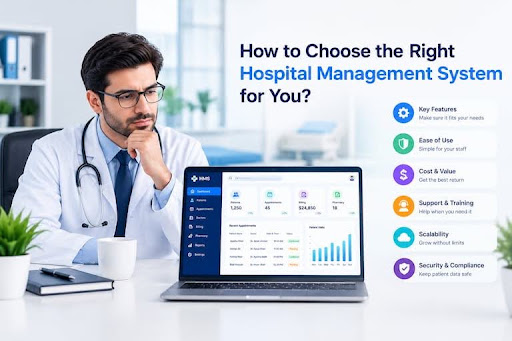
Selecting a Hospital Management System (HMS) is one of the most critical operational decisions a healthcare administrator, medical director, or clinic owner will make. As healthcare delivery grows increasingly digital, relying on paper records, disconnected spreadsheets, or legacy desktop software creates administrative bottlenecks, financial errors, and delayed patient care.
A modern, enterprise-grade Hospital Management System unifies clinical, administrative, financial, and operational departments into a single digital platform. However, with dozens of software vendors offering vastly different features, deployment models, and pricing structures, choosing the right platform requires careful evaluation.
This comprehensive guide outlines what a Hospital Management System is, why your facility needs one, the essential modules to look for, key evaluation factors, and why **HMS PLUS** stands out as the premier solution for healthcare facilities of all sizes.
What Is a Hospital Management System?
A Hospital Management System (HMS)—also known as a Hospital Information System (HIS) or Hospital Software—is an integrated web or cloud-based software application designed to automate, streamline, and manage the complete operational lifecycle of a healthcare facility.
It centralizes clinical workflows (such as doctor consultations, electronic health records, and laboratory testing), administrative tasks (such as patient registration, queue management, and staff scheduling), and business functions (such as inventory, pharmacy dispensing, and financial accounting) into one synchronized database.
Why Is a Hospital Management System Important for Hospitals and Clinics?
Implementing a modern Hospital Management System transforms daily medical operations from reactive, paper-heavy administration into a proactive, data-driven workflow. The core benefits include:
- Elimination of Paperwork: Digitizes medical records, billing invoices, prescription forms, and diagnostic reports, drastically reducing stationery costs and physical storage needs.
- Faster Patient Intake & Reduced Wait Times: Streamlines registration check-ins, automates queue token generation, and synchronizes doctor availability to keep waiting lobbies organized.
- Prevention of Revenue Leakage: Aggregates all billable events—from doctor consultations and lab tests to pharmacy orders and bed charges—into an itemized invoice, preventing unbilled services.
- Enhanced Patient Safety: Stores complete Electronic Health Records (EHR) under a permanent Unique Health Identification (UHID) number, providing doctors immediate access to past diagnoses, drug allergy alerts, and treatment histories.
- Real-Time Interdepartmental Communication: Facilitates instant data movement between front-desk receptionists, physicians, laboratory technicians, pharmacists, and accountants.
What Modules Should a Hospital Management System Have?
A comprehensive HMS uses specialized, interconnected modules tailored to the distinct daily workflows of each hospital department.
Patient Management
Serves as the central repository for patient personal details, contact data, emergency profiles, and lifelong medical histories tied to a permanent UHID. It maintains longitudinal health records accessible across all future visits.
Reception Management
Manages front-desk check-ins for Outpatient Departments (OPD), coordinates Inpatient Department (IPD) bed admissions, schedules appointments, issues digital queue tokens, and manages visitor logs.
Doctor and Staff Management
Provides doctors with custom consultation screens to review digital patient histories, record clinical notes, issue electronic prescriptions (e-prescriptions), and track daily appointment lists.
Accounts Management
Acts as the financial engine of the facility. It automates multi-department invoice generation, processes outpatient and inpatient payments, manages health insurance claims, and generates revenue summaries.
Pharmacy Management
Tracks prescription drug dispensing, monitors stock levels in real time, automates First-Expiry-First-Out (FEFO) batch tracking, generates low-stock alerts, and prints itemized pharmacy receipts.
Laboratory Management
A Laboratory Information System (LIS) coordinates diagnostic workflows from sample barcoding and test ordering to machine integration and automatic verified lab report publishing.
HR and Staff Management
Manages human resources functions across clinical and administrative staff. It automates duty rosters, shift schedules, attendance tracking, leave applications, and payroll processing.
Admin Portal
Gives hospital directors, IT leads, and practice owners complete control over global system settings, user account creation, system audit logs, and high-level executive reporting.
Inventory Management
Monitors non-medical equipment, surgical instruments, office consumables, and central store supplies. It manages purchase orders, vendor invoices, and automatic reorder thresholds.
Key Factors to Consider When Choosing a Hospital Management System
Evaluating HMS software requires looking beyond basic feature lists to ensure the system integrates smoothly into your daily operations.
Operational Fit
Full Module & Workflow Coverage
Security & Access
Role Permissions & Data Encryption
Scalability & Support
Cloud Growth & 24/7 Technical Care
| CRITICAL HMS SELECTION FACTORS | |
|---|---|
| Operational Fit | Full Module & Workflow Coverage |
| Security & Access | Role Permissions & Data Encryption |
| Scalability & Support | Cloud Growth & 24/7 Technical Care |
Does It Cover Your Hospital's Operations?
Verify that the software supports every department operating in your facility today—including OPD, IPD, LIS, Pharmacy, Emergency, OT, and Accounts—without forcing staff to rely on external spreadsheets.
Ease of Use and Simple User Interface
Healthcare teams work under intense time constraints. The user interface (UI) must be intuitive, clean, and responsive, requiring minimal clicks to register a patient, issue a prescription, or create a bill.
Role-Based Access and Permissions
To ensure operational control and data privacy, the platform must offer granular, role-based permission settings. Pharmacists should only see drug orders, billing staff should handle invoices, and clinical data should remain restricted to authorized care providers.
Mobile and Remote Accessibility
Modern web and cloud architectures allow physicians to perform rounds using tablets, review urgent lab results on smartphones, and permit administrators to review financial metrics remotely.
Customization and Personalization
Every healthcare facility maintains unique consultation forms, prescription layouts, and bill structures. Choose an HMS that allows customization of clinical notes, printable headers, and operational workflows to match your practice.
Security and Data Protection
Medical data is subject to strict privacy regulations. Ensure the vendor utilizes end-to-end data encryption (in transit and at rest), secure cloud hosting, automated audit trails, and compliance with national health data privacy standards.
Integrations and Data Connectivity
Your HMS should connect seamlessly with third-party software and devices—such as laboratory diagnostic analyzers, payment gateways, accounting platforms, SMS notification engines, and insurance portals.
Reporting and Analytics
Comprehensive business intelligence dashboards give hospital leaders clear visibility into bed occupancy rates, daily cash flow, department profitability, drug consumption trends, and staff performance metrics.
Scalability and Future Growth
Choose cloud-native software capable of accommodating added beds, higher daily patient intake, new diagnostic equipment, or additional branch locations without performance degradation.
Technical Support and Maintenance
System downtime directly impacts patient care. Select vendors that guarantee dedicated technical support (24/7 for emergency issues), fast response times, comprehensive initial training, and regular updates.
Pricing and Total Cost of Ownership
Review all subscription tiers, per-user fees, module add-on charges, implementation fees, and training costs upfront to avoid hidden charges as your system usage expands.
Data Backup, Migration, and Ownership
Confirm that your hospital retains 100% data ownership. The software should perform automated routine data backups and provide structured export formats (such as CSV or JSON) if you ever choose to migrate systems.
Request a Live Demo Before Buying
Never purchase HMS software based solely on marketing materials. Insist on a customized live demonstration using your facility’s actual operational scenarios to evaluate real-world performance.
How to Evaluate a Hospital Management System Before Buying
To make an informed software investment, follow this structured evaluation process:
1. Internal Needs Audit
Map Departmental Bottlenecks
2. Feature & Cost Check
Compare Modules & TCO
3. Live Workflow Testing
Conduct Hands-On Demo
| SOFTWARE EVALUATION STEPS | |
|---|---|
| 1. Internal Needs Audit | Map Departmental Bottlenecks |
| 2. Feature & Cost Check | Compare Modules & TCO |
| 3. Live Workflow Testing | Conduct Hands-On Demo |
Create a List of Your Hospital's Requirements
Form an internal committee featuring representatives from reception, nursing, medical staff, pharmacy, laboratory, and finance. Document current operational pain points and list mandatory versus optional features.
Ask for a Live Demonstration
Schedule a guided product demonstration with the software vendor. Have key department heads attend to evaluate how the system handles daily tasks, such as patient check-in, prescription generation, and billing reconciliation.
Ask About Support and Future Development
Inquire about the vendor’s customer support structure, guaranteed resolution timelines, staff training resources, and software release roadmap for upcoming feature upgrades.
Check the Total Cost
Calculate the complete Total Cost of Ownership (TCO) over a 3-to-5-year period, factoring in upfront deployment fees, recurring software subscriptions, user expansion costs, and hardware requirements.
Test the Actual Workflow
Request a sandbox demo environment or trial access. Have your front-desk staff, nurses, and billing team test key tasks to assess speed, navigation clarity, and system responsiveness before signing an agreement .
Why Choose HMS PLUS for Your Hospital or Clinic?
HMS PLUS is a modern, enterprise-grade Hospital Management System engineered to streamline operations, eliminate financial leakage, and elevate patient care across healthcare clinics, diagnostic centers, and multi-specialty hospitals.
Here is why leading healthcare facilities choose HMS PLUS:
Manage Multiple Hospital Departments
HMS PLUS connects every operational team—reception, outpatient care, inpatient beds, pharmacy, diagnostics, billing, HR, and inventory—into one cohesive platform, eliminating duplicate data entry and communication siloes.
Role-Based Access for Different Users
With custom, granular user permissions, HMS PLUS protects sensitive patient medical data while providing tailored interfaces for receptionists, doctors, nurses, pharmacists, lab technicians, and accountants.
Patient and Reception Management
Accelerate check-in times with fast record indexing, automated Unique Health Identification (UHID) generation, intelligent duplicate prevention, and digital queue token displays.
Doctor and Staff Management
Equip doctors with fast consultation screens, complete digital health histories, customized e-prescription forms, and integrated lab result views designed to minimize administrative effort.
Accounts, Pharmacy, and Laboratory
Automate bill aggregation across clinical consultations, diagnostic orders, and pharmacy sales. HMS PLUS features FEFO inventory tracking, auto-generating lab reports, and integrated billing processing.
Customization for Your Requirements
Tailor prescription templates, invoice layouts, clinical notes formats, and department workflows to match your hospital's established branding and administrative preferences.
Technical Support
Partner with a software provider dedicated to your continuous operational success, offering comprehensive onboarding, staff training, fast technical assistance, and continuous platform updates.
Frequently Asked Questions
What Should I Look for When Choosing a Hospital Management System?
Key priorities include full module coverage across your active departments, an easy-to-use user interface, granular role-based permissions, robust data security, responsive 24/7 technical support, transparent pricing, and flexible customization.
How Much Does a Hospital Management System Cost?
The cost of an HMS varies based on facility size, bed capacity, deployment choice (cloud-based SaaS vs. on-premise installation), number of user accounts, and required custom modules. Most modern cloud platforms offer predictable monthly or annual subscriptions.
Can a Hospital Management System Be Customized?
Yes. Quality HMS platforms allow customization of clinical consultation notes, e-prescription layouts, billing header formats, report structures, and department permission levels to match your facility’s unique workflows.
Can a Hospital Management System Manage Multiple Departments?
Yes. An integrated HMS is built specifically to connect multiple departments—including Outpatient Care (OPD), Inpatient Care (IPD), Pharmacy, Laboratory, Radiology, Finance, HR, and Stores—into a single database.
Does a Hospital Management System Improve Patient Registration?
Yes. An HMS optimizes patient registration by speeding up check-in times, generating permanent UHID numbers, preventing duplicate patient files, and syncing front-desk intake instantly with doctor consultation dashboards.
Can Small Clinics Use a Hospital Management System?
Yes. Small clinics and single-specialty practices benefit greatly from streamlined HMS modules like appointment scheduling, digital e-prescriptions, fast patient billing, and basic inventory tracking to maintain organized daily operations.
What Happens If We Choose the Wrong Hospital Management System?
Selecting the wrong HMS can lead to low staff adoption, frequent technical bugs, slow patient intake queues, unbilled medical services, fragmented patient histories, data security risks, and costly software replacement projects.
Should I Request a Demo Before Buying a Hospital Management System?
Yes. Requesting a live, interactive product demo allows your administrative and medical teams to test real-world scenarios, review user interface navigation, and verify system performance before making a purchasing decision.
Get Started With HMS PLUS
Don't let manual paperwork, fragmented department systems, or administrative delays hold your healthcare facility back from delivering exceptional care.
Contact the medical software team at HMS PLUS today to schedule a live product demo, explore custom module configurations, and deploy a modern hospital management platform engineered to optimize your operations and grow your healthcare business.